- Project page
- Tutorial[1]
- Repo[2]
Part 7 adds the user interface.
The first thing I did was create interface.js to hold the interface code. I had previously mixed it into index.js. However now I have cyclic dependencies, which I never fully resolved. The main file has the game world, and calls interface code. But the interface file needs to know about the game world. I put in a workaround.
Since this project runs in a browser, I can take advantage of the browser’s existing layout features. I implemented the health bar, message log, and mouseover panel in HTML+CSS. I’m using the browser’s scrolling features instead of implementing my own like the Python tutorial has to do.
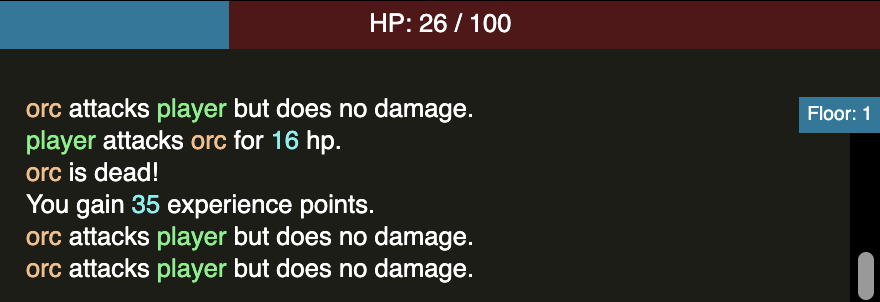
For the message log, I wanted to learn about Javascript’s tagged template literals[3], and ended up making a print “statement”:
// old way:
print(attacker.name, "attacks", defender.name, "for", damage, "hp.");

// new way:
print `${attacker} attacks ${defender} for ${damage} hp.`;
Yes, that’s valid Javascript syntax! I was surprised it works. It was kind of fun to play with. And it’s not just me; the Mozilla documentation includes an example, console.log`Hello`. Instead of generating a string, I generated HTML with separate colors for allies, enemies, and numbers. I used snabbdom[4] to make the table and message log update efficiently, although I think it might have been overkill.
I had some extra time so I figured out how to make my Jujutsu project uploadable to GitHub. By default Jujutsu makes pushed changes immutable, but I wanted to go back and edit everything, so I changed the setting to make everything mutable, and then used force push. I made one Jujutsu “bookmark” for each Part of the tutorial, and those became branches on the GitHub side.
I also wanted to make the spreadsheet editable.
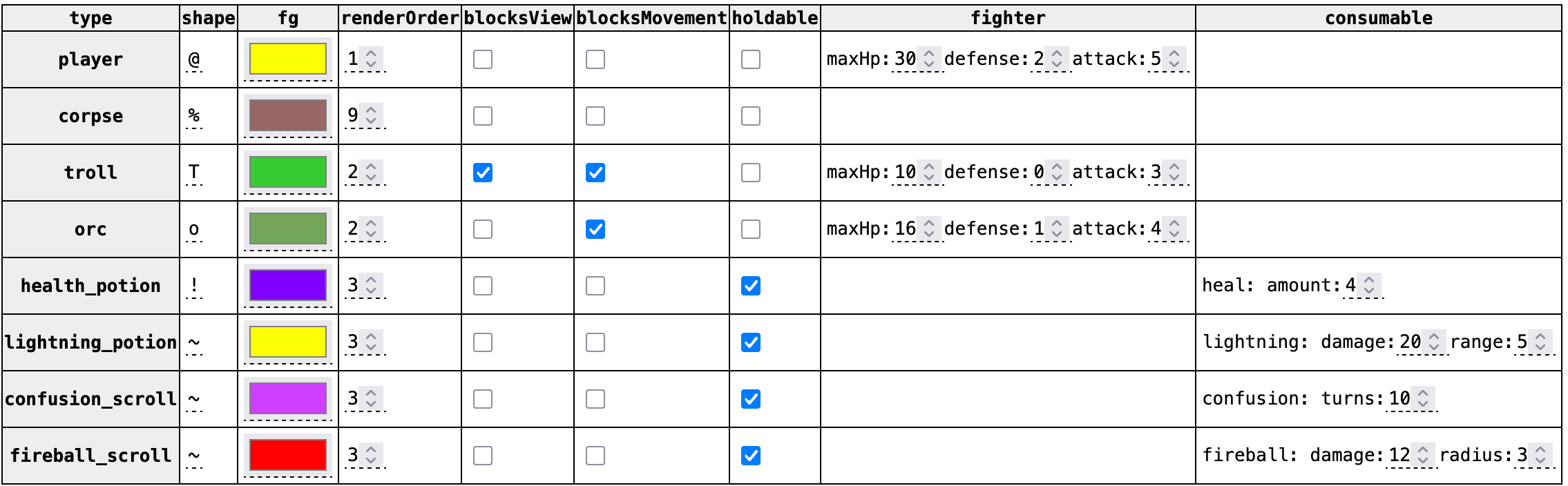
For the spreadsheet editing, I learned that HTML+CSS has a
validation system, where you can define a pattern and then use CSS
selectors to style the input field differently if it doesn’t
validate. This lets me match map 3,5 and held by 1, but it doesn’t
handle further checks like out of bounds map coordinates. For
that, there’s the Javascript setCustomValidity()[5] method. If you
try putting in an invalid value, it should highlight with a red
dashed border.
In Part 6 I made the prototype properties read-only to avoid accidentally modifying them. But now I want them to be writable so that you can change them in the spreadsheet. I solved this by making a read only Proxy[6] object that’s used in the inheritance chain and a writable Proxy object that’s used by the table editor. I can catch accidental modifications while allowing intentional modifications.
Here’s the game at the end of Part 7: