I have sample code on some of my pages. I try to use syntax highlighting when I can, but I don’t use it everywhere. In particular, Hexagons guide and Terrain from Noise don’t have syntax highlighting. Why?
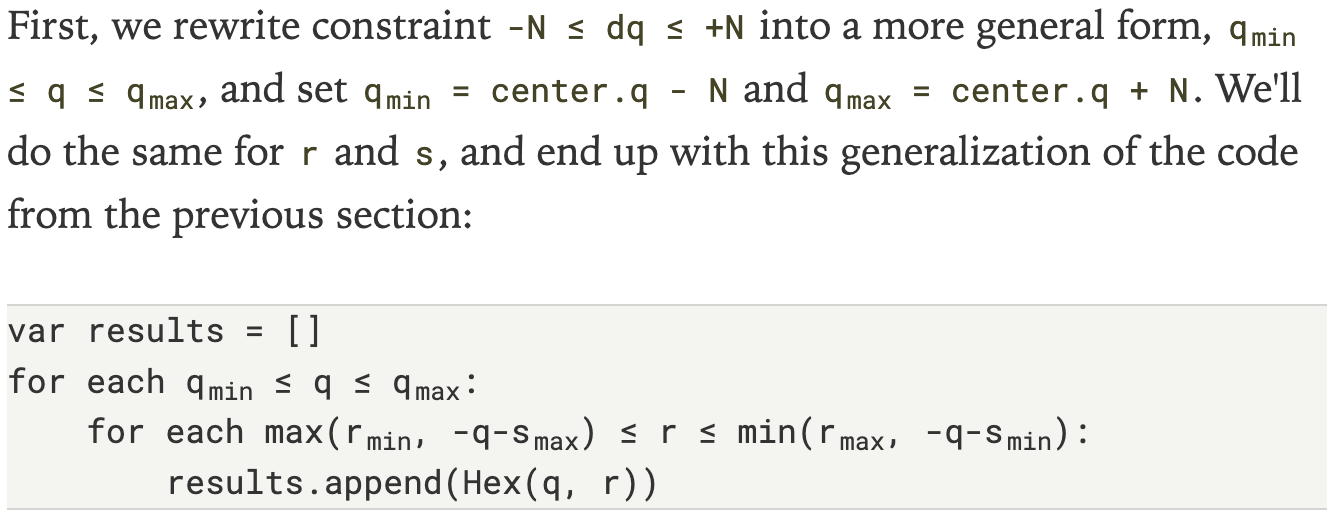
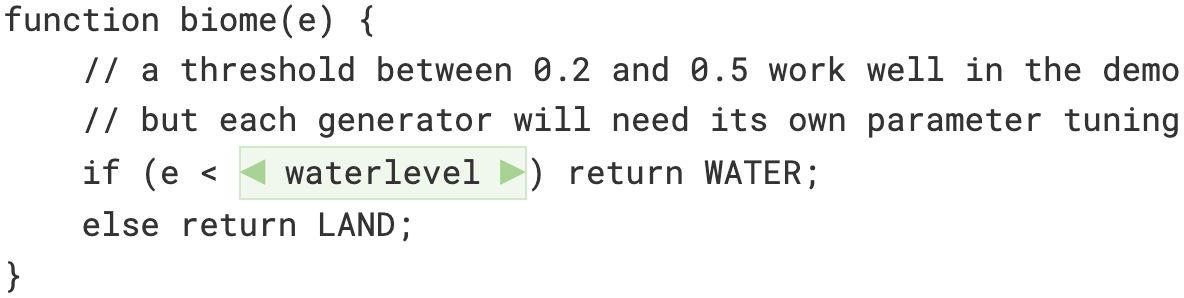
It’s a lot of work to manually syntax highlight everything, and it makes my HTML harder to read and maintain:
<code>q + s + r</code>
→
<code><span class="q">q</span> + <span class="s">s</span>
 + <span class="r">r</span> = 0</code>
Why not use a syntax highlighting library? These libraries take text as input and produce HTML as output. But on these interactive pages, the input is HTML. I have manually marked up the code with embedded interactive elements that respond to the reader’s choices:
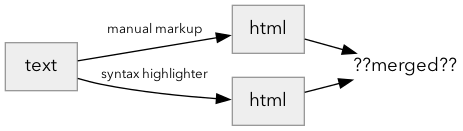
The syntax highlighting libraries I looked at don’t work on HTML out of the box. It’s possible to merge two highlighters together but it can be tricky. Let’s see what the merging looks like. To keep the examples concise, I’ll use <b> for tags I added manually and <i> for tags the highlighter added:
-
highlighting tags
<i>enclosing the manual markup<b>:function <b>abc</b>_to_hex(p): → <i>function</i> <i><b>abc</b>_to_hex</i>(p): <i> </i> <i><b> </b> </i> [--------] [----------------------]
-
manual markup
<b>enclosing the highlighting tags<i>:<b>hex.q + 1</b> → <b>hex.<i>q</i> + 1</b> <b> <i> </i> </b> [------] [---------------------]
-
manual markup and highlighting tags crossing:
var y_<b>prev = 3</b>
→
<i>var</i> <i>y_<b>prev</i> = 0</b>
<i>   </i> <i>  <b>    </i>    </b>
           [--------------]
                [-----------------]
Oops, that’s not right. Tags must be nested correctly. The
</i>can’t be until after the</b>. We have to split the<b>tag here:<i>var</i> <i>y_<b>prev</b></i><b> = 0</b> <i> </i> <i> <b> </b></i><b> </b> [---------] [---------] [------------------]
Note that splitting it will break hover and some other interactions.
On the A* page I wrote a highlighter that takes HTML input and produces HTML output. It works for the samples on the A* page, but doesn’t work on code in general. It’s simple but fragile.

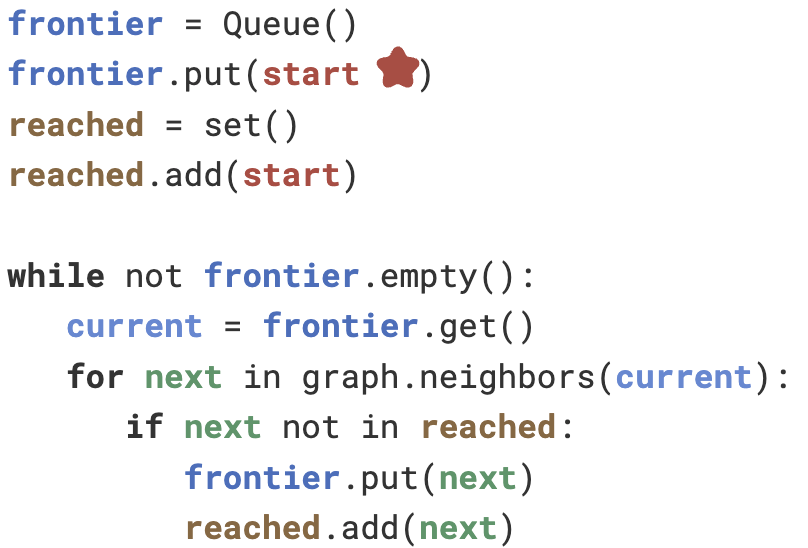
The code samples on the A* page aren’t interactive. Interactivity complicates things. Actions on the page can change the text of the code being displayed. The simplest thing is to highlight it again when the code changes:

In an interactive system, the DOM has more than just the HTML: it can have event handlers, focus status, hover state, text selection, pointer capture, and other things. All of that is lost when we generate HTML from scratch. This type of problem is partly solved with a Virtual DOM library (React/Vue/etc.) that attempts to reuse existing DOM nodes where possible.
I wasn’t sure how best to solve this problem so I decided to study the modules of an existing syntax highlighting library:
- Tokenize: find the ranges in the text that need to be highlighted.
- Markup: surround those ranges with markup such as <span class=keyword>.
- Style: use CSS to apply colors to span.keyword.
I wanted to replace step 2 of an existing library with the new CSS Custom Highlight API[1], available in mid-2025. This is a non-destructive approach to highlighting, similar to how selecting text applies styling to the selected text without modifying the HTML. However, the Custom Highlight API also requires new CSS rules, so I have to replace step 3. And it turns out the only part I could reuse, step 1, is tiny (under 30 lines). So I decided to write everything myself:
- Convert the DOM element to plain text using el.textContent. Don’t make the same mistake I did of using el.innerText. That is almost right but has some differences. For example,
<br>has text content""and inner text"\n". That leads to off-by-one errors in a later step. - Tokenize the plain text, the same way a syntax highlighter library would. I looked at libraries such as rse/tokenizr[2] and no-context/moo[3] but they are overkill for my needs, around 10✕ as much code as I ended up with.
- Construct Range[4] objects for each token. The tokenizer gives me an index into the plain text but I need to convert that into an index into the specific DOM node. I can walk the tree with document.createTreeWalker() until I find the correct node.
- Create a Highlight[5] object to hold all the ranges for each token type (comment, keyword, etc.). Add the ranges to that highlight object.
- Write CSS rules ::highlight(keyword) for each token type. There are limitations on the styling. These rules can’t cause a reflow, so I can change foreground/background but not bold or any other change in fonts.
- Use MutationObserver[6] to watch for changes to the DOM element. When the text changes, create new Range objects to replace the existing ones. One limitation of this is that I’m watching the existing
<pre>elements, not watching for new or removed<pre>elements. I made sure the page doesn’t create any after initial load.
This worked really well! I can apply highlighting without messing up any of the interactivity.
On the Hexagons guide I decided to primarily use highlighting for non-syntax (variable names) rather than syntax (keywords, comments, etc.). The diagrams use three colors for the three axes of a hexagonal grid, and I use the same colors for the variables representing those axes:
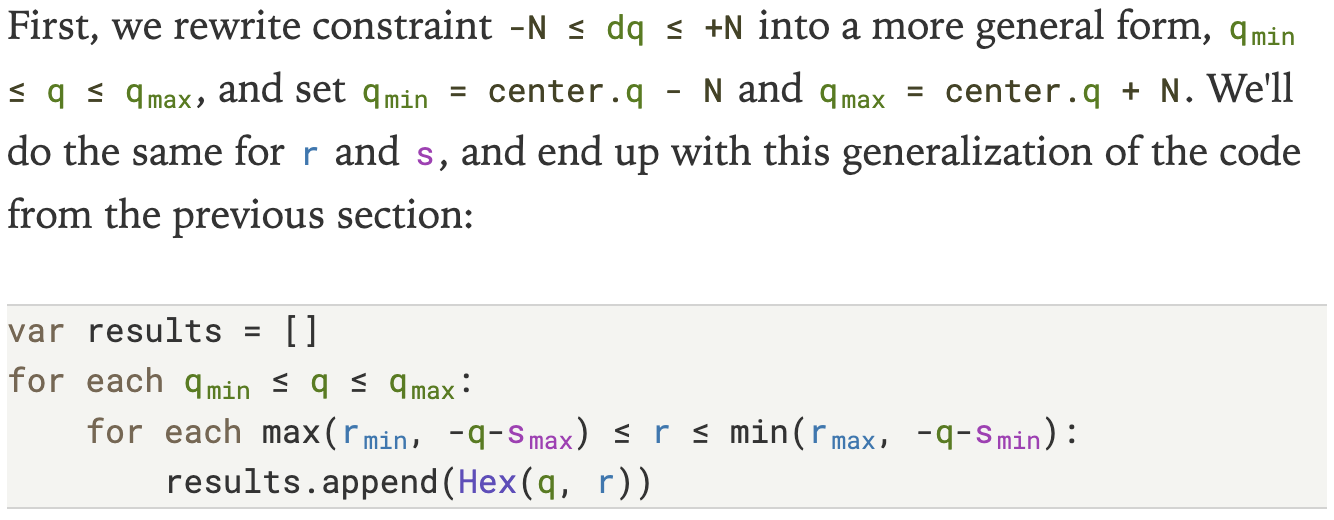
The code highlighting on the Hexagons guide is now live, with 829 tokens highlighted. Try it out! If you want to see my code, it’s code-highlighting.js.